Webhooks
Send an HTTP notification to an external URL whenever this virtual machine changes state.
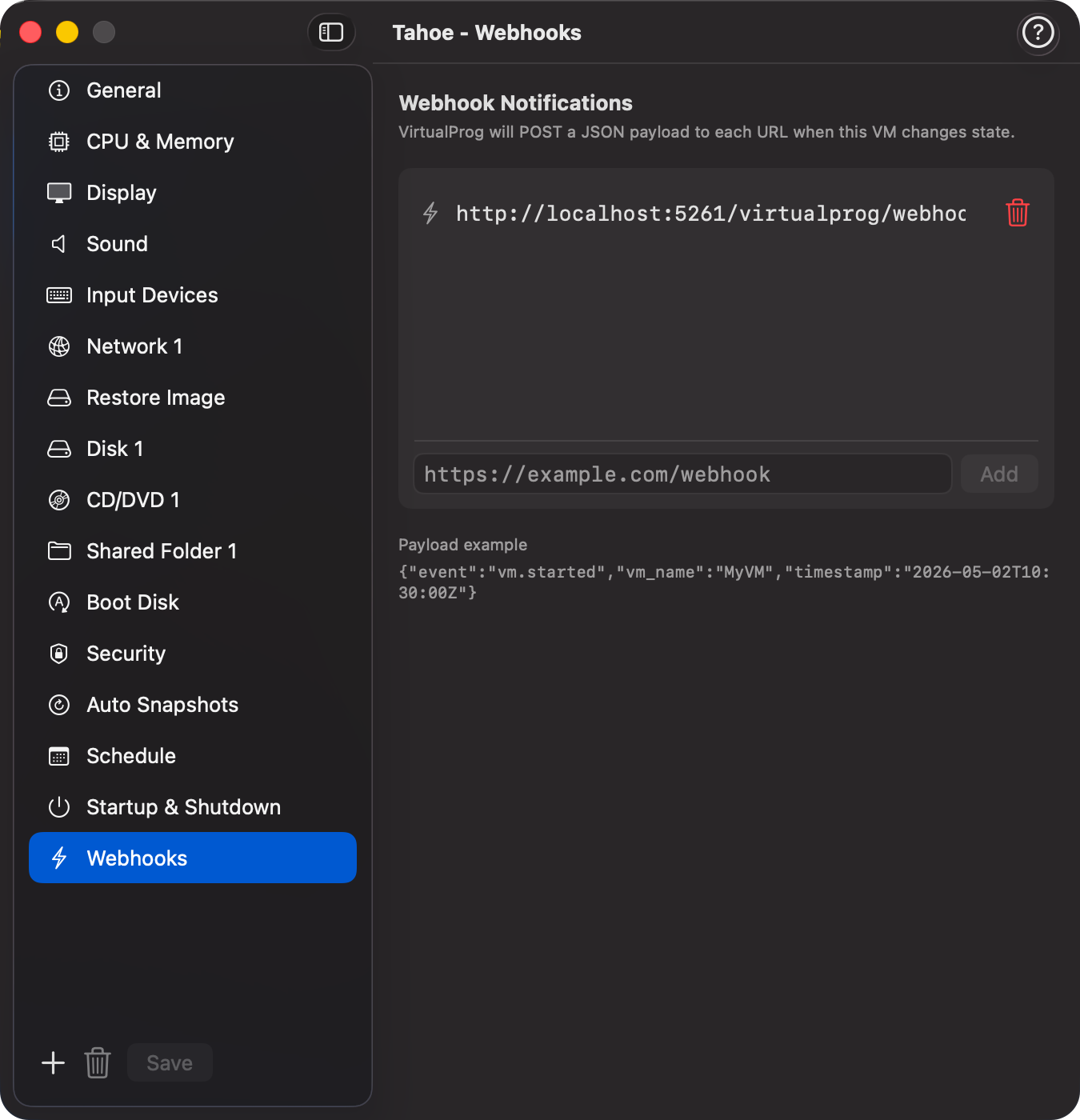
📸 Screenshot:
Fields
| Field | Description |
|---|---|
| URLs | List of HTTP or HTTPS endpoints that receive a POST request on every VM state change. |
Payload
Each request is a JSON POST with the following body:
| Field | Description |
|---|---|
event |
The state change that occurred (see table below). |
vm_name |
The name of the virtual machine. |
timestamp |
ISO 8601 UTC timestamp of when the event occurred. |
Event types
| Event | Trigger |
|---|---|
vm.started |
VM started or resumed from paused or suspended state. |
vm.stopped |
VM stopped (force stop or guest-initiated shutdown). |
vm.paused |
VM execution paused. |
vm.suspended |
VM state saved to disk (arm64 only). |
Guidance
Adding a webhook URL
Open the VM configuration, select Webhooks in the sidebar, type a valid http:// or https:// URL into the field, and click Add. The URL is saved immediately and will receive events the next time the VM changes state.
Editing or removing a URL
Click directly on any URL in the list to edit it in place. To remove a URL, click the trash icon on the right side of the row.
Receiving webhooks
Your endpoint must return any HTTP 2xx response. VirtualProg does not retry failed deliveries — if your endpoint is unreachable at the time of the event, the notification is dropped silently.
Multiple URLs
You can add as many URLs as needed. All configured endpoints receive the same payload simultaneously.
Use cases
- Trigger a CI/CD pipeline when a build VM starts or stops.
- Post VM state changes to a Slack or Teams channel via an incoming webhook.
- Update a monitoring dashboard or on-call system.
- Automate provisioning scripts that depend on VM availability.