Linked Clones
A Linked Clone is a lightweight virtual machine that forks from a parent VM's current disk state without copying it. Instead of duplicating the parent's disks, the clone boots from the parent's existing data and only stores the changes it makes itself, going forward.
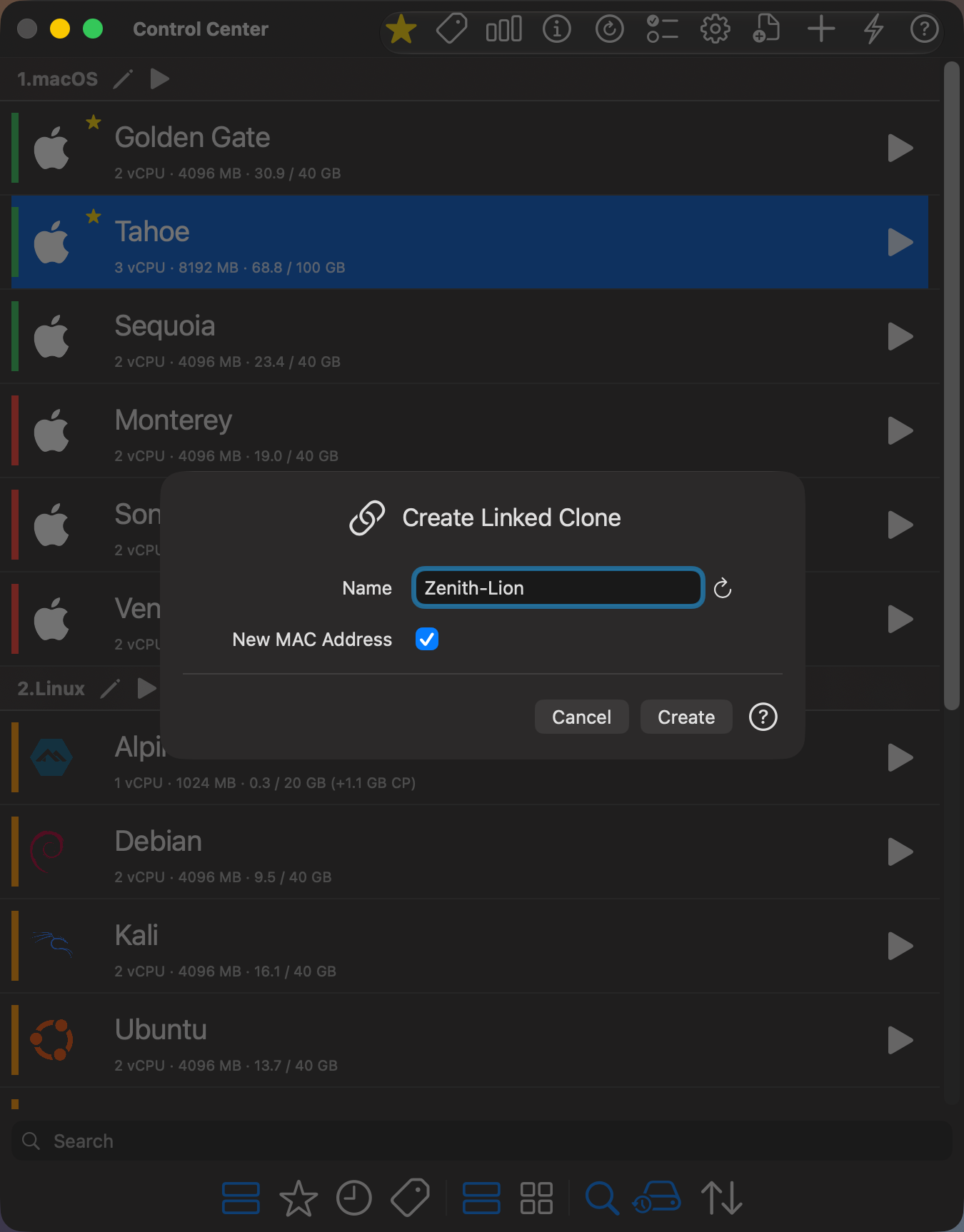
📸 Screenshot:
⚠️ Requires macOS 27 Golden Gate or later, and at least one dynamic or fixed disk in the VM.
🧭 How to Access
You can open the Create Linked Clone dialog by:
- Right-clicking a stopped virtual machine in the Control Center and selecting Create Linked Clone — forks from the parent's current state.
- Right-clicking a specific checkpoint in the Checkpoints window and selecting Create Linked Clone — forks from that checkpoint instead.
🖥 Dialog Options
Name
Specify the name of the new linked clone. This name determines the directory and display name in the Control Center. Click on the 🔄 button to generate a unique name.
New MAC Address
This checkbox (enabled by default) generates a new MAC address for the clone's network interface. Uncheck it if you want to preserve the MAC address of the parent virtual machine.
💡 What Makes It Different From a Full Clone
A regular Clone copies every disk in full, so it costs as much storage as the original. A linked clone shares the parent's disk state instead, so creating one is fast and costs only a small fraction of the disk space — VirtualProg automatically creates a checkpoint on the parent as the fork point, and the clone writes its own changes on top of it.
By default, the fork point is the parent's current state. To fork from an earlier state instead, right-click any existing checkpoint in the Checkpoints window and choose Create Linked Clone — the clone forks from that checkpoint instead of creating a new one.
Because of this, a linked clone always depends on its parent:
- The parent stays fully usable, but the disk state a clone forked from is protected and can't be deleted while that clone exists.
- A linked clone can't be fully cloned, exported, snapshotted, or turned into a template — that disk state lives in the parent, not in the clone itself.
- Clones can themselves be cloned again, to any depth.
✅ When to Use It
Linked clones are ideal when you want several disposable variants of the same base VM — for example, testing a change across multiple OS versions, spinning up parallel environments for a team, or quickly branching off a known-good setup — without paying the disk cost of a full copy each time.
If you need a fully independent VM with no dependency on another VM (to export it, move it, or hand it off), use a regular Clone instead.