🔌 Connect
Connect the iOS app to VirtualProg on your Mac. You only do this once per Mac — the app remembers your servers.
🔧 Prepare Your Mac
- Open VirtualProg → Settings → CLI
- Enable CLI Server
- Enable External Access so other devices can connect — on your network, or from the internet if you set that up (see Connect from Outside Your Network)
- Note the address, port and token shown there
Tip: Create a scoped token in Settings → Access Tokens and use it on your phone instead of the master token. An Operator token can start, stop and view; an Admin token can also change configuration. See Access Tokens.
➕ Add a Server
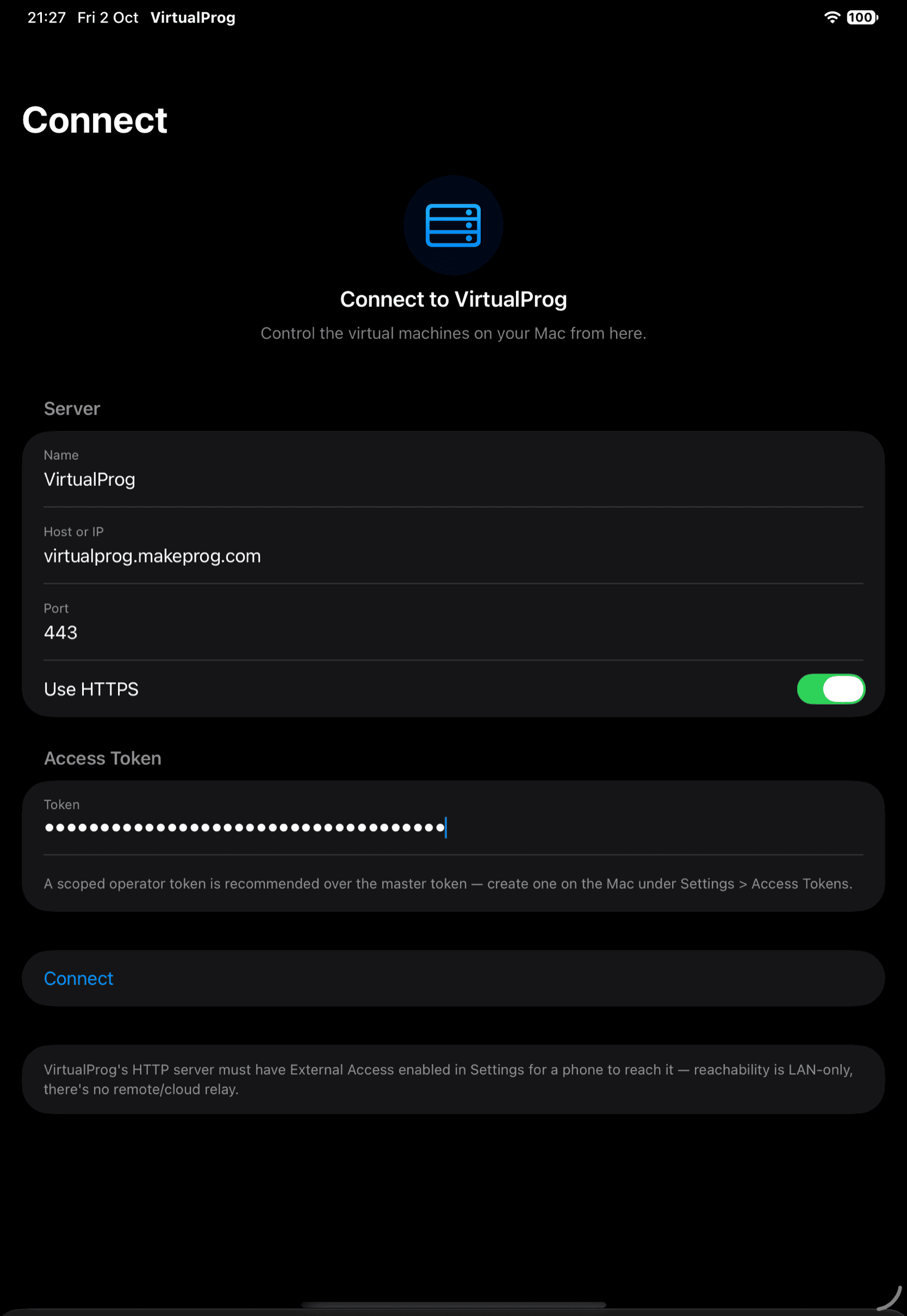
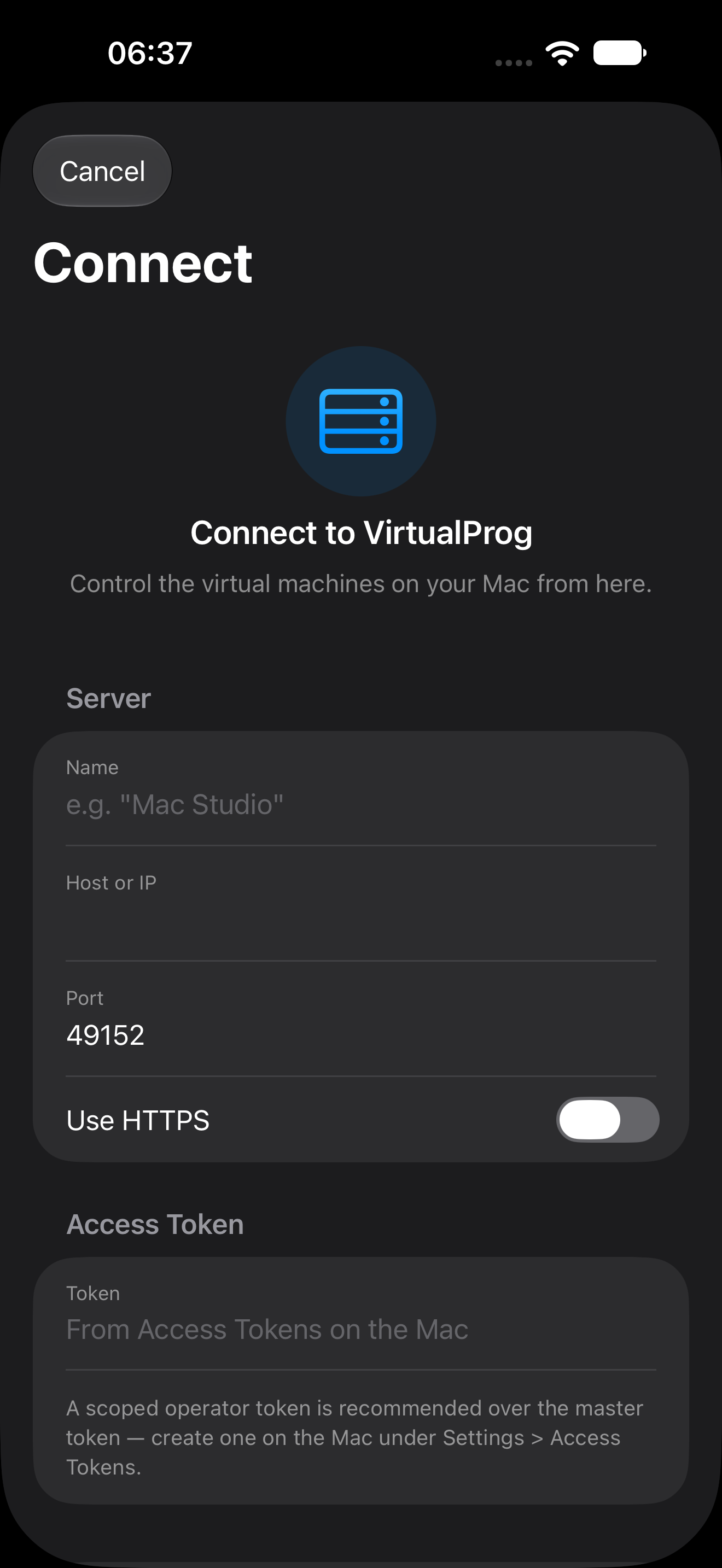
On first launch the Connect screen appears. Fill in:
| Field | Description |
|---|---|
| Name | A label for this Mac, for example Mac Studio |
| Host or IP | Your Mac's address, for example 192.168.1.20 or mac-studio.local |
| Port | The CLI Server port (default 49152) |
| Use HTTPS | Turn on if you imported a certificate in VirtualProg |
| Token | The master or scoped token |
Tap Connect. If two-factor authentication is enabled for the token, enter the 6-digit code when asked.
Android: the screen and fields are the same, and plain HTTP works. On your home network, turn off a VPN or private DNS that routes around your local network if the Mac can't be reached.
HTTPS Certificates
When Use HTTPS is on, the app shows the certificate's SHA-256 fingerprint the first time. Tap Trust only if it matches your Mac's certificate. If the certificate later changes, the app shows the old and new fingerprint and asks you to Trust the new one before connecting again — right there on the connect screen.
🌍 Connect from Outside Your Network
The app isn't limited to your home or office network. It talks straight to your Mac with no cloud relay in between, so it works anywhere your phone can reach the Mac over the internet. Use the Mac's reachable address as the Host or IP — everything else is the same as above. Pick the option that suits your setup:
| Option | How it works |
|---|---|
| Direct connection | Forward the CLI Server port (default 49152) on your router to the Mac, and install an SSL/TLS certificate in VirtualProg so the connection is encrypted. Turn on Use HTTPS in the app. |
| VPN | Use a VPN such as Tailscale or WireGuard, then connect to the Mac's VPN address as if you were at home. Nothing is exposed to the public internet. |
| Reverse proxy or tunnel | Put the Mac behind your existing homelab setup — Nginx, Traefik, or a Cloudflare Tunnel — and connect to that address, normally over HTTPS on port 443. |
Security: Anyone who can reach the port can try your token, so when the Mac is reachable from the internet always use HTTPS, prefer a scoped token over the master token, and turn on two-factor authentication. A VPN or tunnel is the safest choice because the port is never open to the whole internet. See Security.
🩺 Troubleshooting
| Problem | What to check |
|---|---|
| Can't connect | VirtualProg is running, CLI Server is on and External Access is on. At home, both devices must be on the same network. Away from home, check your VPN, port forward or tunnel is up and that the Host and Port are the ones reachable from outside |
| Token rejected | The token was copied completely, has not expired and has not been revoked |
| Certificate warning | Confirm the fingerprint, or edit the server and turn off Use HTTPS if the Mac serves plain HTTP |
| Empty VM list | A scoped token only shows the VMs it is allowed to access |
| Features missing | Some screens are hidden when your token doesn't allow them — see Security |