🎙️ Shortcuts & Siri
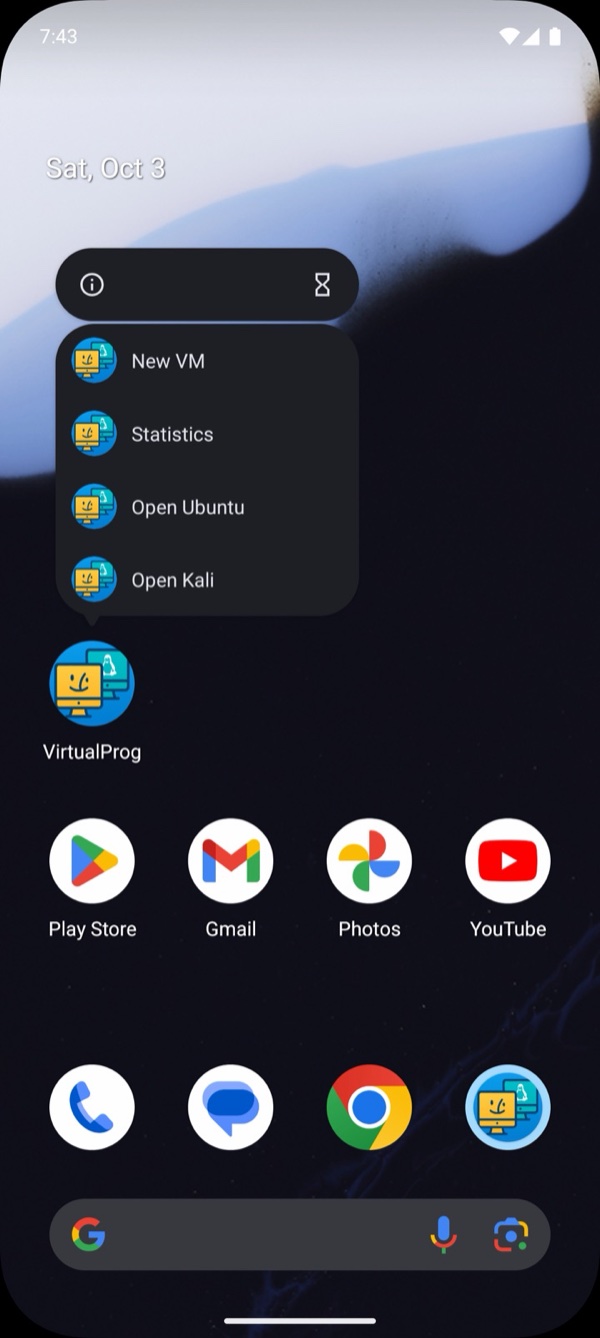
Android: Shortcuts, Siri and the Action button are iOS features. On Android, touch and hold the VirtualProg icon on your home screen or app drawer for quick links to New VM, Statistics and Command Line, plus shortcuts to the VMs you use most. You can drag any of them onto your home screen. Voice assistants and automation apps are not supported yet.
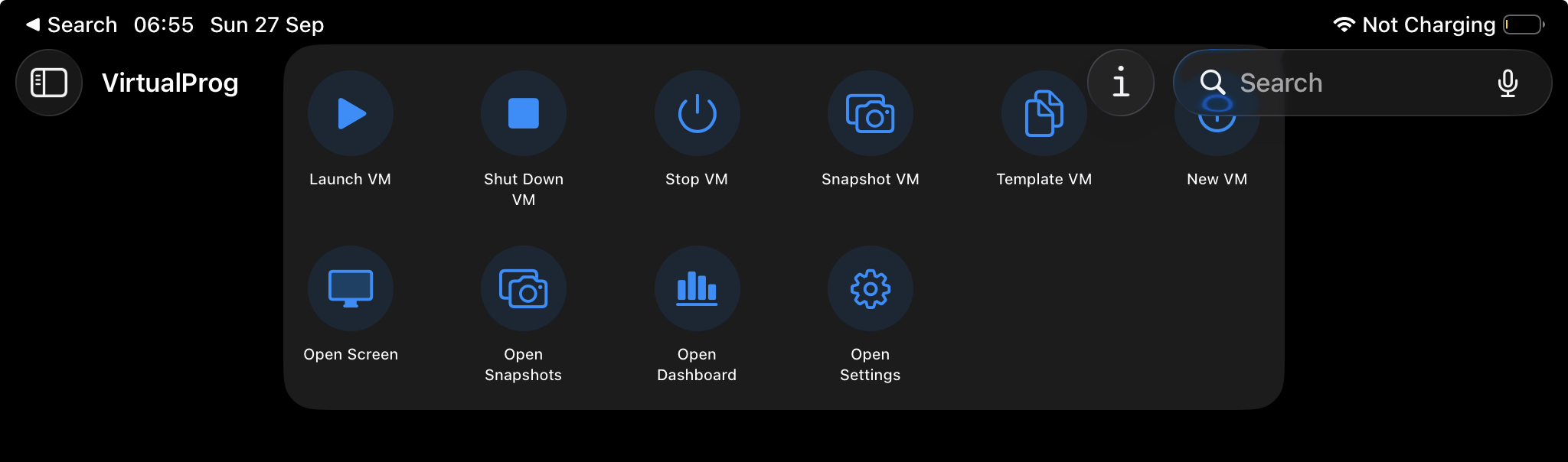
Control your VMs from the Shortcuts app, Siri, automations and the Action button. Find the VirtualProg actions in Shortcuts under Apps → VirtualProg.
Note: Actions use the server that is currently active in the app. Sign in to your Mac in the app first.
⚡ Actions
| Action | What it does |
|---|---|
| Launch Virtual Machine | Starts a stopped VM, or resumes a paused one |
| Shut Down Virtual Machine | Asks the VM to shut down cleanly |
| Stop Virtual Machine | Stops the VM immediately (asks you to confirm) |
| Take Snapshot | Snapshots a stopped VM |
| Create Template | Creates a template from a stopped VM |
| Get Virtual Machine Status | Returns Running, Stopped, Paused or Suspended — useful in automations |
| New Virtual Machine | Opens Quick Create |
| Open Virtual Machine Screen | Opens a VM's live screen |
| Open Snapshots | Opens a VM's snapshots |
| Open Dashboard | Opens Statistics |
| Open Templates / Open Settings | Opens that screen |
Actions that change a VM run without opening the app and report the result. They need the device to be unlocked, so a Shortcut can't start or stop your VMs from the lock screen. Where an action needs a VM, Siri and Shortcuts ask Which virtual machine? and show your list.
🗣️ Siri Phrases
Say any of these — the app name is always part of the phrase:
| Say | Action |
|---|---|
| "Start a virtual machine in VirtualProg" / "Boot a VM in VirtualProg" | Launch |
| "Shut down a virtual machine in VirtualProg" | Shut down |
| "Stop a virtual machine in VirtualProg" | Stop |
| "Take a snapshot in VirtualProg" / "Snapshot a VM in VirtualProg" | Snapshot |
| "Create a template in VirtualProg" / "Template a VM in VirtualProg" | Template |
| "New Virtual Machine in VirtualProg" | Quick Create |
| "Open a VM screen in VirtualProg" | Live screen |
| "Open Snapshots in VirtualProg" | Snapshots |
| "Open Dashboard in VirtualProg" | Statistics |
| "Open Settings in VirtualProg" | Settings |
Tip: Avoid the word "launch" when speaking — Siri treats it as "open an app". Use start or boot.
Requirements match the rest of the app: a scoped token can only act on the VMs it covers, and snapshots and templates need the matching permissions.