💿 Image Catalog
The Image Catalog downloads macOS restore images (IPSW) and ISO images to your Mac, ready to use when creating VMs. Open More → Library → Image Catalog (iPad: Library → Image Catalog).
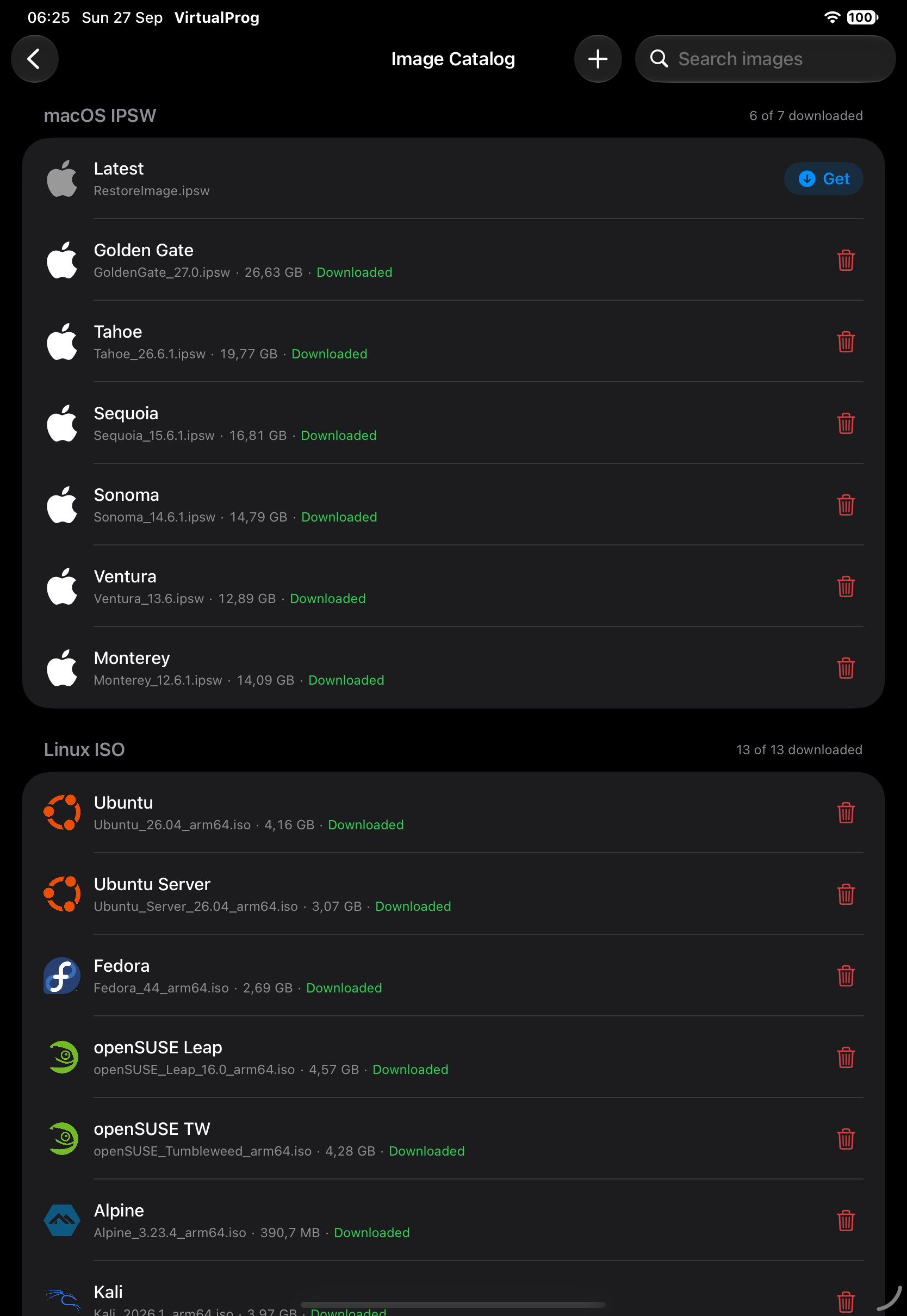
Images are grouped into macOS IPSW and ISO, each showing how many are downloaded. ISO images include Linux distributions, VirtIO drivers, and custom installer images such as Windows 11 ARM64.
| Item | Meaning |
|---|---|
| Logo | The image's OS. It is dimmed until the image is downloaded |
| Downloaded (green, in the subtitle) | The file is on your Mac; its size is shown |
| Resolving latest version… | Shown briefly for the macOS "Latest" entry while it looks up the current version |
| Get / Download | Download the image to your Mac |
| ✕ | Cancel a running download |
| 🗑 on a downloaded image | Delete the downloaded file (asks for confirmation) |
| 🗑 on a custom entry | Remove the custom entry; if its image was downloaded, the file is removed too |
While downloading, a progress bar shows percentage, size, speed and time remaining. Downloads continue on the Mac even if you leave the screen.
Custom Images
Tap + to add your own entry: choose ISO or macOS IPSW and give the image's name and download URL. A custom entry shows a Custom badge and a trailing trash button on iPhone, iPad, and Mac; custom URL entries keep their Get or Download button beside it. Downloaded images also use the trailing trash button, with no duplicate swipe or context-menu action.
Custom entries imported from a local file can be removed from the catalog with the same button. If the local file is no longer available, the iOS app does not offer Re-import; file upload is not supported here.
Note: Images are downloaded by your Mac, not your iPhone or iPad. Make sure the Mac has enough free disk space.
On iPad (Android has no separate windows), tap the window button in the toolbar to open the Image Catalog in its own window.
Untracked Files
On iPhone and iPad, tap the Catalog / Untracked Files icons in the toolbar to switch to a list of files sitting in the images folder that are not in the catalog and are not attached to any VM, snapshot, or template — for example, a custom entry removed from the catalog without also deleting its file. On Android, a Untracked Files section appears automatically below the catalog whenever any exist.
Each row shows the filename, its size, and when it was last modified, with a trailing 🗑 button to delete that one file. A toolbar 🗑 button (iOS/iPad) or the section header's 🗑 button (Android) deletes every untracked file at once — both ask for confirmation first and show the total space that will be reclaimed. A file that was recently written (within the last 10 minutes) is never listed, to avoid racing an in-progress upload.