🛠️ Advanced Configuration
The full VM configuration editor. It opens from three places, all landing on the same screen: Advanced Create when creating a VM, a VM's own Configuration row in VM Details, and a template's Configure action.
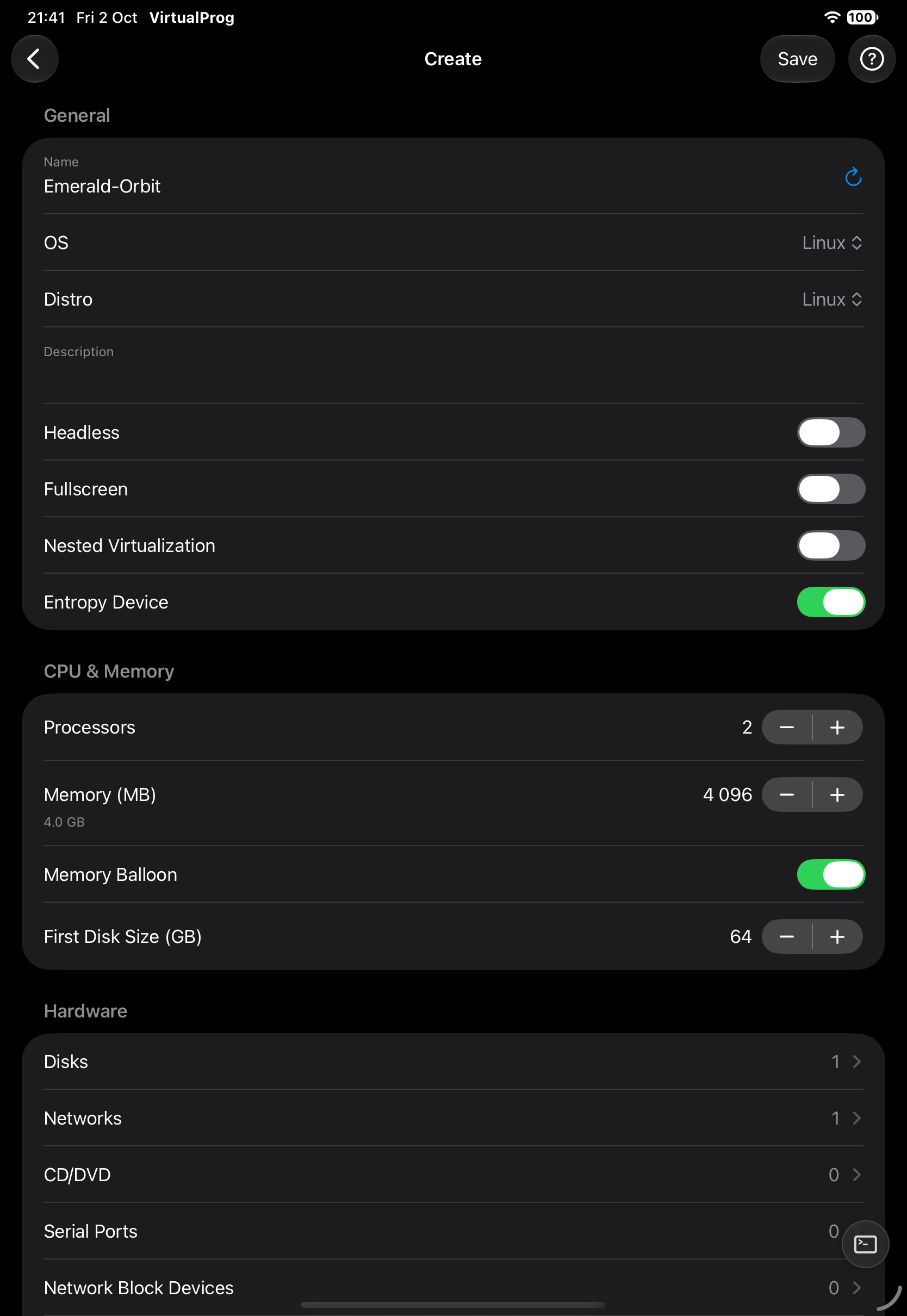
It covers general info, CPU & memory, display & sound, hardware (disks, networks, CD/DVD, serial ports, network block devices, boot device), and system settings (security, auto snapshots, schedule, startup & shutdown, webhooks, SSH) — plus restore image, provisioning and Rosetta for macOS/Linux as applicable. Every new network starts with its own MAC address.
A few fields worth knowing about:
- Memory Balloon lets a running Linux guest give memory back to the Mac when it's idle, instead of holding onto it permanently.
- Display has two resolution modes: Auto Resolution follows the window/screen you're viewing from, while Force Resolution locks the guest to a fixed size regardless of viewer.
- Networks — editing a VM's network here is also how you set a static IP or add port forwarding rules for a Custom/Shared network, and where a network's MTU is set.
- Security toggles control whether this VM allows Clipboard sharing, Screenshots, Screen Recording, and Dashboard Logs (usage/session tracking) — turning one off also disables the matching feature in the Live Screen and Statistics.
- Auto Snapshots sets a frequency (on start, daily, weekly, monthly, on shutdown) and how many to keep; restoring any snapshot offers an optional Safety Snapshot of the current state first, in case you need to undo the restore itself.
- Provisioning (macOS 27+ host) creates the guest's first account automatically on boot — the guest username must be different from every username already on the Mac, or it silently fails to run.
- Nested Virtualization and Entropy Device (Linux, Apple Silicon M3+) are off by default; turning off the Entropy Device can noticeably slow down anything that generates cryptographic keys in the guest, including SSH.
Note: Read-only while the VM is running or when your token is an Operator token.