🌐 Networks
Networks lists the virtual networks defined on your Mac and shows how your VMs connect to them. Open More → Library → Networks (iPad: Library → Networks).
Use the List / Topology switch at the top to change views. On iPad (Android has no separate windows), tap the window button — available in either view's toolbar — to open Networks in its own window.
📋 List
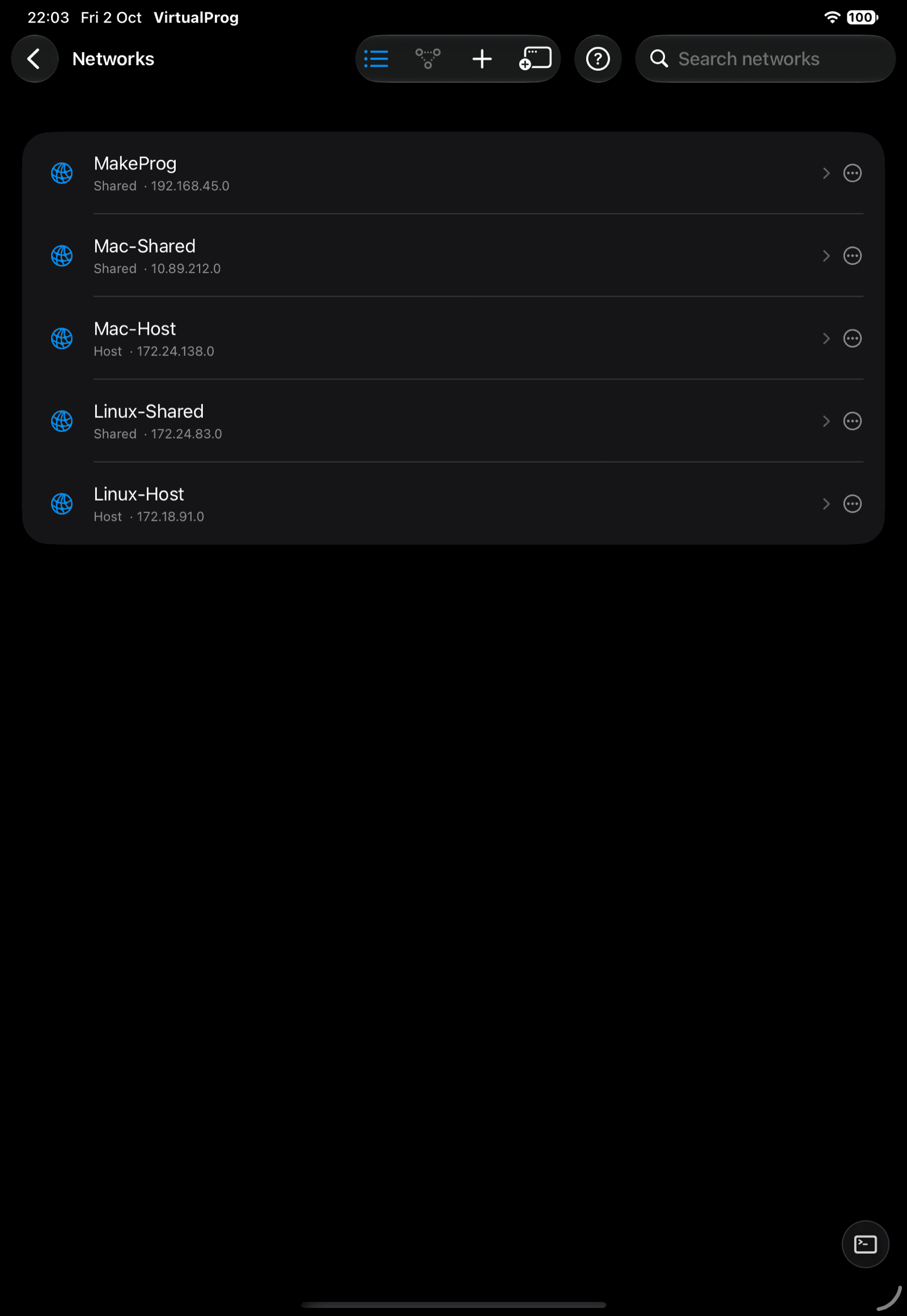
Each row shows the network's name, type and subnet; disabled networks are marked. Tap + to open the Add Network form, or tap a row to edit that network directly. Saving returns to the list. Tap the trailing trash button and confirm to remove a network.
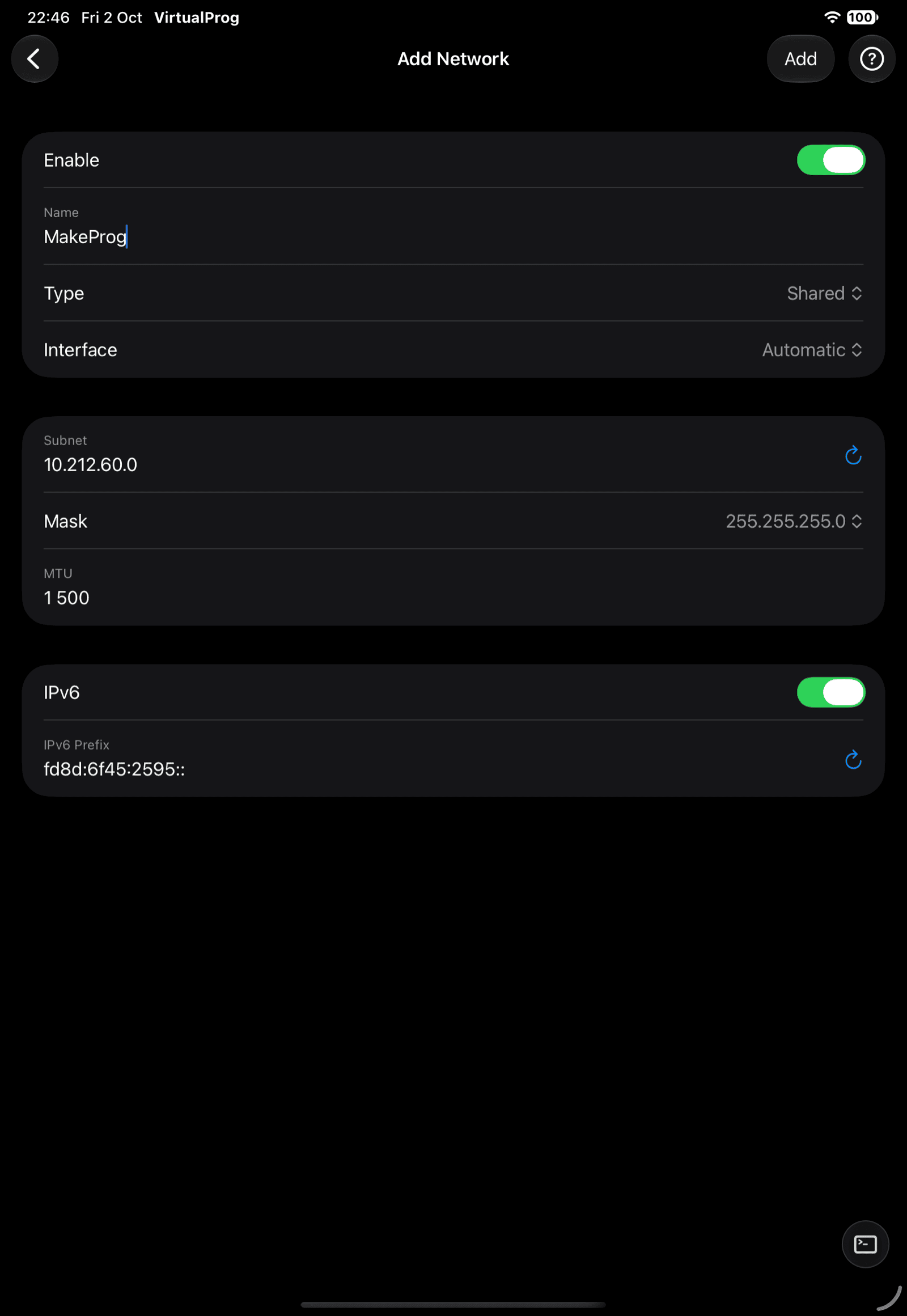
The editor covers Interface (for a Shared network — which physical adapter it rides on, or
Automatic), Subnet and Mask, MTU (1280–9000), and IPv6 (a toggle plus a
unique-local fd… prefix).
Note: Adding, editing and removing networks requires macOS 26 or later on the Mac. See Network Settings. Renaming a network, or switching its type, can affect VMs already configured to use it — review the Mac's own confirmation if you're warned about affected VMs.
🕸️ Topology
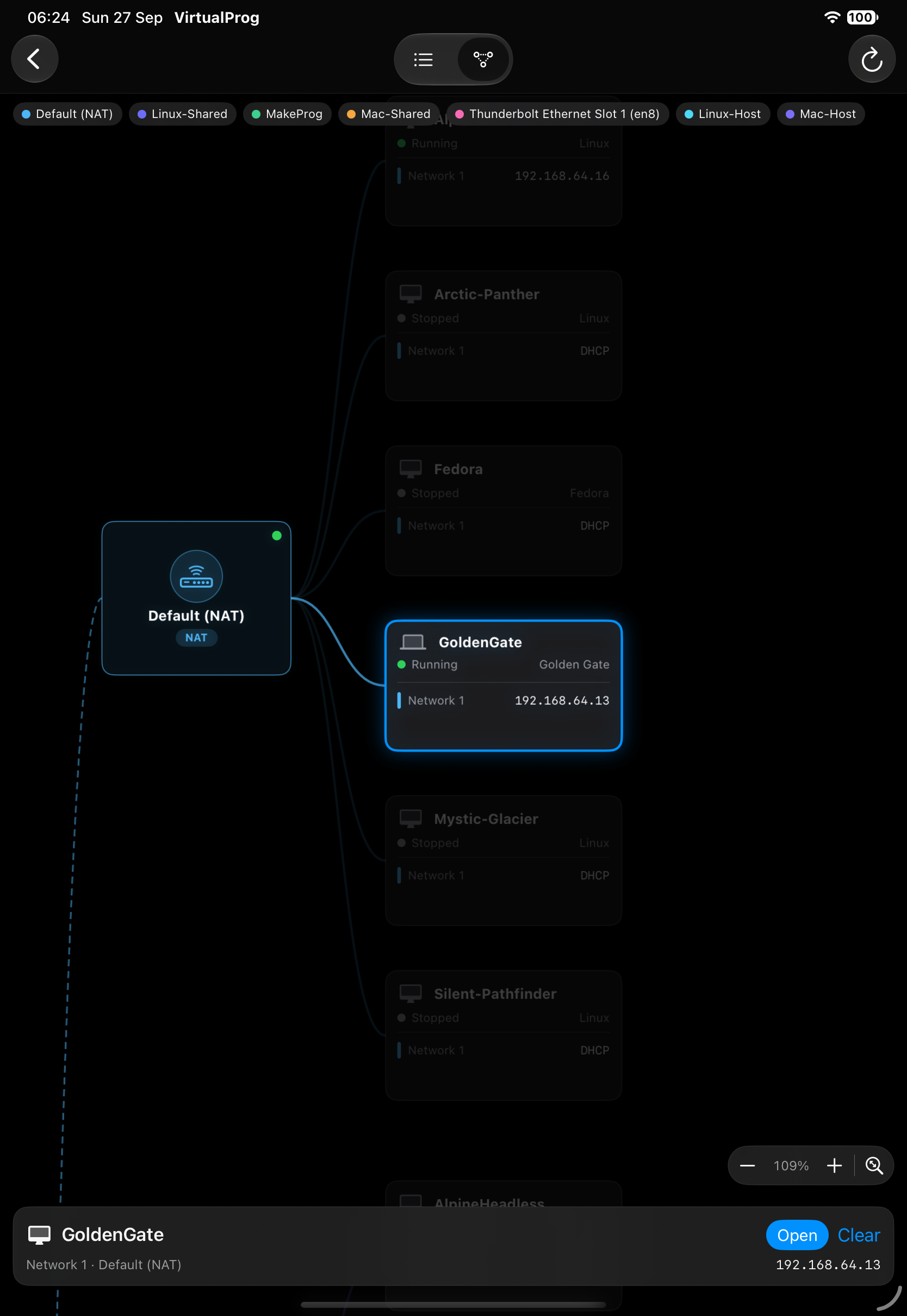
A read-only diagram of how everything is connected:
Internet / Host → Networks → Virtual Machines → Port forwards
Each network has its own color, listed in the legend at the top. VMs show their state and each adapter's IP address; port-forward rules appear beside the VM they belong to. A running VM's address is resolved live from the Mac's network tables; a stopped VM falls back to its static or last-known DHCP address, so it can look different once the VM starts.
- Tap a network or VM to highlight what it is connected to and dim the rest. A card at the bottom lists adapters, IP addresses and forward rules; tap Open to go to a VM.
- Pinch to zoom, drag to pan, or use the + / − buttons. The fit button restores the default view.
- Tap Refresh to reload — the diagram does not refresh on its own.